
How to Avoid Overloading Your Slides in Your Technical Presentation
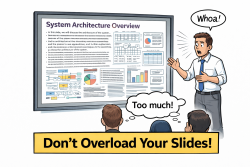
“Slides should support the speaker, not serve as a teleprompter.”
— Nancy Duarte, American writer, speaker, and CEOPicture this. You are sitting in the audience, listening to a technical presentation with slides so crammed with information that you miss the presenter’s point on each.
This, sadly, occurs much too often in technical presentations. Engineers often feel that if they give the audience as much information as possible, it will sway them to the presenter’s point of view. Nothing could be further from reality.
When audiences are overwhelmed by detailed slides, they simply tune out. This is not the situation that you want to be in.
Below are three ways to avoid overwhelming your audience with your slides:
Focus Each Slide on a Single Core Idea
As a technical presenter, you may often overload your slides by trying to communicate multiple concepts at once. Never a plus with your audience
If you do this, you will create cognitive overload, where your audience cannot efficiently process or retain the information.
A disciplined approach is to define one clear takeaway per slide before building any content.
When each slide has a single purpose, the presentation’s structure becomes easier to follow. The audience can mentally “chunk” information, improving comprehension and recall.
This aligns with established cognitive load theory, which emphasizes minimizing unnecessary mental effort.
To implement this, write a one-sentence headline that captures the slide’s main idea.
Then ensure every visual or bullet supports that single message. If something doesn’t directly support it, it belongs on another slide—or nowhere at all. When in doubt, take it out.
One way to avoid overwhelming your audience with your slides is to focus each slide on a single core idea.
Another is to reduce text and use more visuals.
Reduce Text and Use More Visuals
Excessive text forces the audience to split attention between reading and listening.
This split-attention effect reduces understanding because the brain cannot efficiently process both streams simultaneously. As a result, key points are often missed or only partially understood.
Replacing text with visuals—such as diagrams, charts, and icons—improves clarity and speeds comprehension.
These visuals allow the brain to process relationships and patterns more efficiently than dense paragraphs. You will benefit from visual representations that map directly to systems and processes.
Limit text to keywords or short phrases that reinforce your spoken message. Use visuals to carry the explanatory load while you provide the narrative context.
This combination keeps the audience engaged without overwhelming their working memory.
The keywords or short phrases will key you into what to say. If you have long phrases, or God forbid, whole sentences, it will tend to cause you to want to recite what clearly your audience can see on the screen.
Audiences loathe speakers who simply recite what they can see on the screen.
Two ways to avoid overwhelming your audience with your slides are to focus each slide on a single core idea, and reduce text and use more visuals.
A third way to avoid overwhelming your audience with your slides is to apply constraints to enforce simplicity.
Apply Constraints on Your Slides to Enforce Simplicity
Without constraints, slides tend to expand until they resemble technical documentation.
Imposing limits—such as a maximum number of bullets or elements—forces prioritization and clarity.
Constraints act as a design discipline rather than a restriction.
A practical guideline is the “3–5 rule,” which limits each slide to three to five key elements. This keeps information within the bounds of working memory and prevents visual clutter.
It also creates cleaner, more professional-looking slides that guide attention effectively.
Additionally, use the “glance test” to evaluate the slide’s effectiveness.
If the audience cannot grasp the main point within five seconds, the slide is too dense.
If they can read everything without you, the slide is doing your job—and that’s a problem.
Three ways to avoid overwhelming your audience with your slides are to (1) focus each slide on a single core idea, (2) reduce text and use more visuals, and (3) apply constraints on your slides to enforce simplicity.
Remember, you are the message, not your slides. Cramming your slides with information that doesn’t support your narrative distracts, bores, and turns off your audience.
Just apply the “When in doubt, take it out” test, and you should be fine.
Clear presentations always win out over cluttered ones.
Don’t be a boring speaker!
Call to Action
Define one clear takeaway per slide before building any slide content.
Limit text to keywords or short phrases that reinforce your spoken message. Use visuals to carry the explanatory load while you provide the narrative context.
Imposing limits, such as a maximum number of bullets or elements, forces prioritization and clarity. Constraints act as a design discipline rather than a restriction.
“No one has ever complained that a presentation was too easy to understand.”
— Seth Godin, American author, marketing expert, entrepreneur, and a former dot-com business executive___________________________________
References
Sweller, J. (1988). Cognitive Load During Problem Solving: Effects on Learning. Cognitive Science.
Mayer, R. E. (2009). Multimedia Learning (2nd ed.). Cambridge University Press.
Tufte, E. R. (2001). The Visual Display of Quantitative Information. Graphics Press.
Duarte, N. (2008). Slide:ology: The Art and Science of Creating Great Presentations. O’Reilly Media.
Alley, M. (2013). The Craft of Scientific Presentations (2nd ed.). Springer.
_____________________________
Being a confident, engaging, and effective STEM speaker is a vital personal and professional asset. With more than 40 years of engineering experience and more than 30 years of award-winning public speaking experience, I can help you reduce your presentation preparatory time by 50%, overcome your fear of public speaking and be completely at ease, deliver your presentations effectively, develop your personal presence with your audience; and apply an innovative way to handle audience questions deftly.
Working closely with you, I provide a customized protocol employing the critical skills and tools you need to create, practice, and deliver excellent STEM speeches and presentations. Let’s connect and explore how I can help you become the exceptional speaker you were meant to be. Please reach out to me at fr***@*****************ed.com or 703-509-4424 for a complimentary consultation. Schedule a meeting with me at calendly.com/frankdibartolomeospeaks
.